Hi everyone, welcome back to autocadtip.com
Need to compare two drawings in AutoCAD and find what changed between two DWG versions? The AutoCAD Compare Drawings feature highlights every difference, so you don’t have to check lines by eye.
What Is the AutoCAD Compare Feature?
Available in AutoCAD 2019 and later, the COMPARE command overlays two versions of a drawing and highlights the differences. It works for revisions, design reviews, and checking subcontractor changes.
How to Compare Two DWG Files in AutoCAD
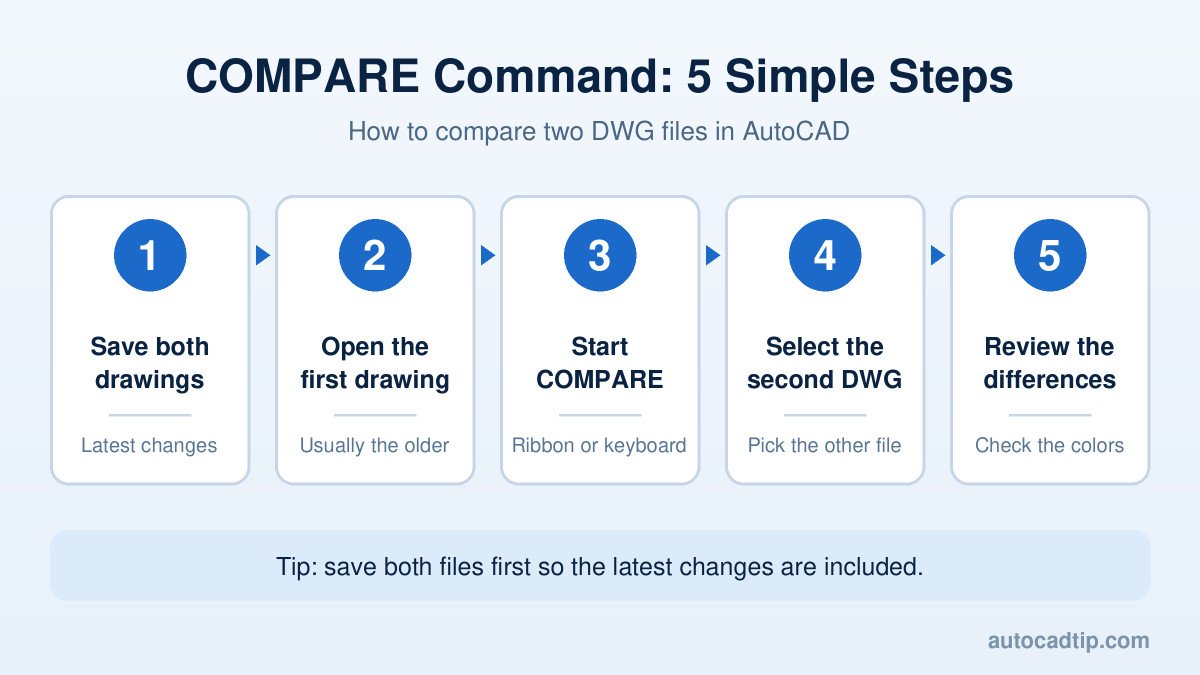
- Save both drawings. Make sure the latest changes are saved.
- Open the first drawing. This is usually the older version.
- Start the command. Type
COMPAREin the command line, or go to Collaborate tab > Compare panel > Compare. - Select the second drawing. In the dialog box, browse to the other DWG file and click Open.
- Review the results. AutoCAD creates a comparison view with color-coded differences.
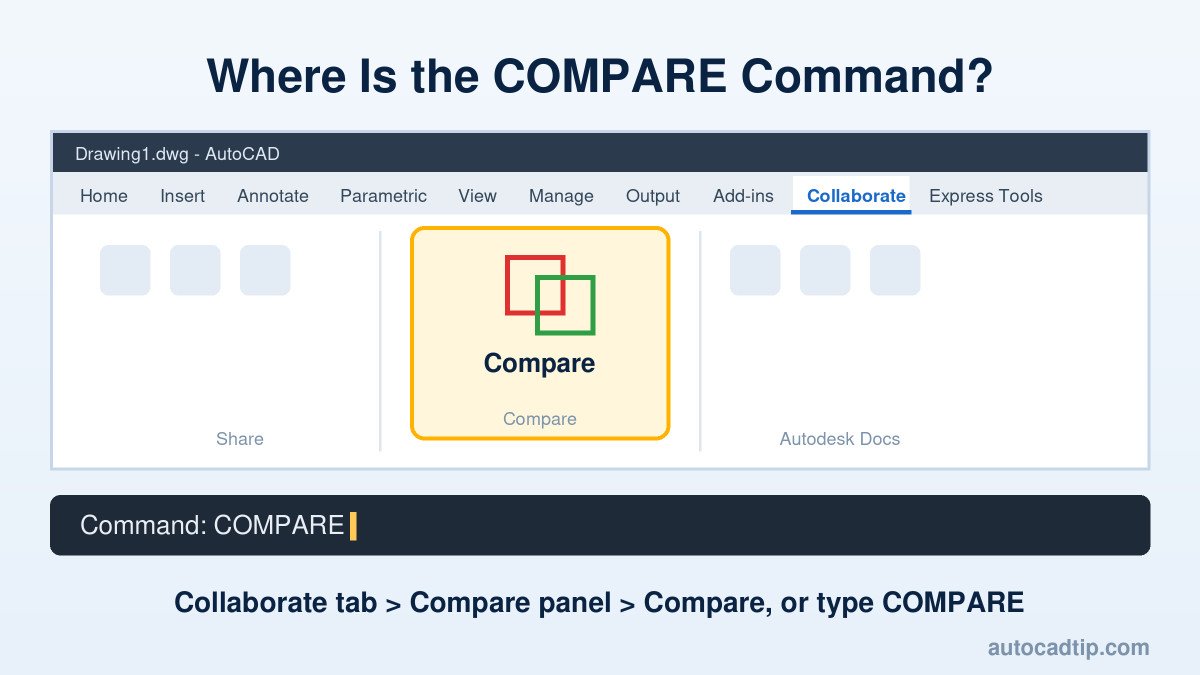
Can’t see the Collaborate tab? Learn how to turn the ribbon on and off in AutoCAD.
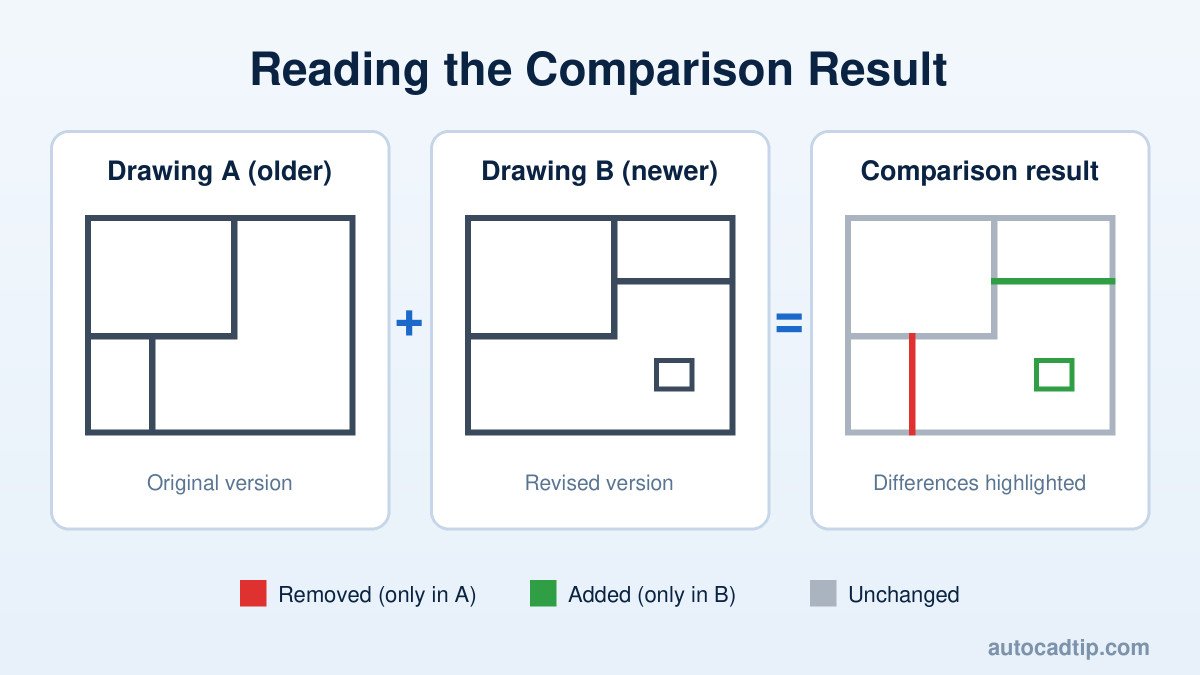
Understanding the Color Codes
- Red: objects that exist only in the first drawing (removed)
- Green: objects that exist only in the second drawing (added)
- Gray: unchanged objects common to both drawings
Useful Comparison Tools
Once the comparison opens, use the Compare contextual ribbon tab to:
- Switch between showing the first drawing, the second drawing, or both
- Show only the differences
- Turn on revision clouds around changed areas
- Adjust Compare Settings, such as including xrefs
- Save or export the comparison as a separate drawing to share with your team
Tips for Accurate Results
- Make sure both drawings use the same coordinates and units, or differences may appear exaggerated.
- Keep xref paths valid so referenced files are included in the comparison. See how to use the xref feature in AutoCAD.
- Use Zoom Extents to see every change.
- Save the comparison file for your revision records.
- Comparing files saved in different versions? Set the default file format version for saving so both DWG files match.
Frequently Asked Questions
Can I compare two drawings in AutoCAD LT?
The COMPARE command is available in AutoCAD and in newer AutoCAD LT versions. Check your release, as availability may vary.
Does COMPARE change my original files?
No. It only creates a temporary comparison view unless you choose to save it.
Thanks for visiting my blog, good luck on becoming an AutoCAD master.