Category Archives: AUTOCAD 2D
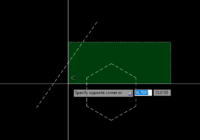
Top 10 Ways to Select Objects in AutoCAD
In AutoCAD, there are multiple ways to select objects to execute the commands. Here are the top 10 methods: 1. **Regular “Click” selection**: This is the simplest way, where you click on each object one by one. 2. **Window Selection**: Click and drag from left to right to form a blue window. This will select all objects entirely… Read More »
How to Control Linetype Scale in AutoCAD?
Controlling the linetype scale in AutoCAD can be achieved on three levels: globally, for the whole drawing, for a specific space (such as model space or paper space), and for an individual object. Here’s how you can do it: 1. **Globally (the entire drawing):** Use the system variable LTSCALE. Type LTSCALE at the command prompt and then set… Read More »
How to Move, Rotate, and Scale Your Object at Once in AutoCAD?
The Align command in AutoCAD is a versatile tool that allows you to move, rotate, and scale objects based on a given alignment. Here’s a step-by-step guide: 1. Select the object you want to move, rotate, or scale. 2. Type “ALIGN” into the command line and press Enter. 3. Pick the points for the source object (your object)… Read More »
How to Create an Arc with Specific Length in AutoCAD?
Creating an arc of a specific length in AutoCAD involves three steps: creating the arc, measuring its length, and adjusting it accordingly. Here are the detailed steps: 1. Start by creating the arc using the ARC command. You can do this by specifying three points in the AutoCAD environment, entering ‘ARC’ in the command line, and then clicking… Read More »