Line vs Polyline in AutoCAD: Differences and When to Use Each
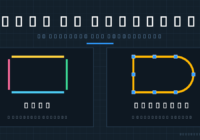
The LINE command (shortcut: L) draws straight segments, and each segment is a separate object. The POLYLINE command (shortcut: PL) draws connected segments that form one single object, and it can include arcs and width. If you draw a rectangle with LINE, you get four objects. With PLINE, you get one. What Is the LINE Command? LINE is… Read More »